Route planning
Stops, buses, and students set for the day
Product
See how schools plan routes, follow live tracking, send parent updates, and manage attendance — all in one platform.
Everyday questions Zomfe answers
School journey
A simple walkthrough of how a typical school journey moves through Zomfe.
Stops, buses, and students set for the day
Driver begins the morning or evening run
School sees every bus in real time
Parents know when to leave for the stop
Boarding and arrival confirmed
Evening trip follows the same flow
Parents get confirmation. Journey done.
School admin workspace
Plan routes, follow live tracking, and review records from a single console school admins use every day.
See bus position, next stop, and delay status while morning and evening journeys are underway.
Create routes, assign buses and drivers, and keep student pickups connected to every school journey.
Attendance and trip history stay available after each run — not only during live tracking.
Live fleet
School console · today's runs
On roadOn the road
4
Waiting
3
Students
842
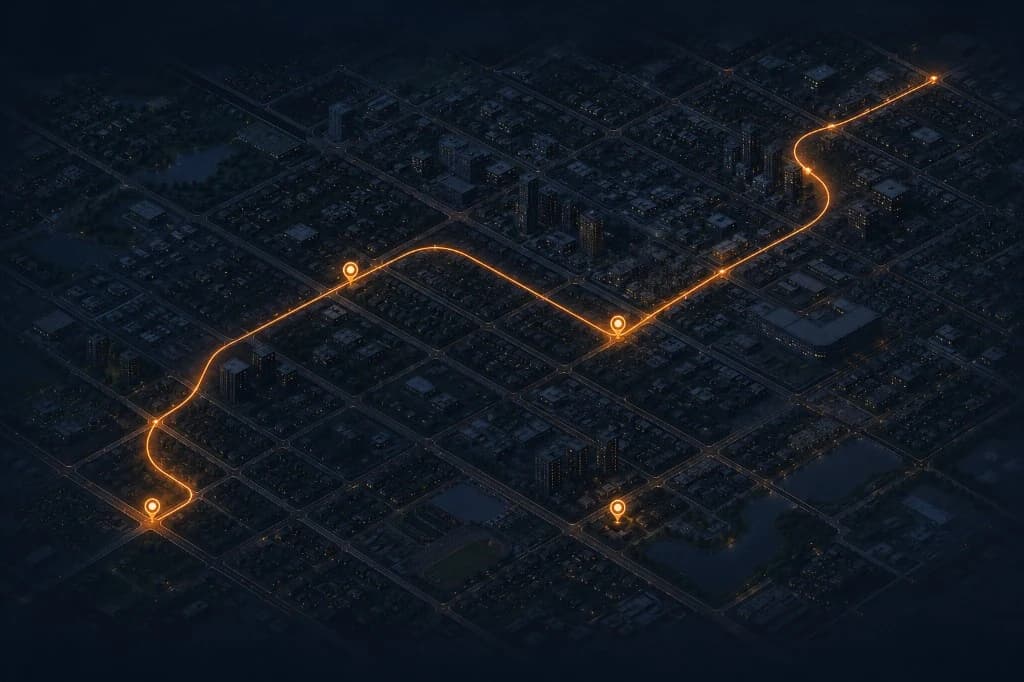
Live tracking on every school journey
Route 04
Live
Route 02
+4 min
Route 07
Waiting
Smart automation
School mornings move fast. Zomfe keeps a quiet eye on every active run — and only speaks up when something needs a human.
What Zomfe notices
What happens next
For
Approach, boarding, and arrival reach parents automatically — the updates that matter, without asking anyone to watch the map all morning.
Arrival times keep adjusting to what’s happening on the road, so “almost there” stays honest for the people waiting.
The school console gets a clear delay signal while the trip is still live — so staff can check in before parents start calling the office.
Off-route movement surfaces immediately for administrators. They see it as it happens, not after someone spots it on a map later.
Silence is treated as a device-health issue. The team knows tracking went quiet — instead of wondering why the map looks frozen.
A heads-up lands while there’s still time to act — before live tracking drops mid-route and the journey goes dark.
Built for real journeys
Weak networks, offline stretches, and disabled permissions are normal school-day problems. Zomfe is built to keep working through them — so visibility doesn't depend on ideal conditions.
Location keeps recording on the device through offline stretches, then syncs when connectivity returns — so a bad signal stretch doesn’t erase the trip.
If location access gets disabled, the school finds out right away. Problems show up during the run, not in a post-trip mystery.
Journey Mode keeps the live session active while the driver is on the route — so the console doesn’t go quiet halfway through pickup.
Arrival is detected and the right people are notified. The day closes with confirmation, not a round of “did they reach?” messages.
Parent app
The Q&A above is what Zomfe answers. Here's how those answers show up for families — calmly, and only when they need them.
Updates land as notifications — approach, boarding, arrival — so parents don’t need the app open all day.
Each alert is about one moment on the journey, written for parents — not a full admin console dump.
The same boarding and arrival events the school sees drive what parents receive — one source of truth.
Parents get the moments that matter; continuous live map watching stays optional, not required.
The difference
Not another checklist of features — the day-to-day change when school transport runs on one journey system.
Without Zomfe
Scattered tools and follow-ups
With Zomfe
One journey, clear ownership
Parents and school staff keep calling to ask where the bus is
Parents and admins see journey updates in the app — no chase calls
Boarding is remembered verbally or on paper
Driver marks students; attendance is stored on the trip
Parents keep messaging the school for every status update
Parents get automatic alerts at approach, boarding, and arrival
Morning and evening runs feel like separate headaches
Same workflow for pickup and return — start, track, confirm, close
Trip details disappear once the day ends
Journey history and attendance stay available for school records
Admin, driver, and parent each hold a different story
One shared journey session — each role sees only what they need
For schools
Live oversight + records without chasing drivers on the phone
For drivers
One focused run screen — start, board students, finish
For parents
Alerts at key moments — not constant map checking
Access
Same journey underneath — different apps and permissions on top, so each person sees what they need and nothing they shouldn't.
Run the full transport operation
Access boundary: Full org oversight — not limited to one child or one trip
Execute today’s assigned run
Access boundary: Only assigned trips — no school-wide admin tools
Stay informed about their child
Access boundary: Only their linked children — never another family’s data
Ready to see Zomfe on your routes?
We’ll walk through Zomfe with your buses, routes, and parent updates in mind.